The YouTube Channel Library Audit: How to Decide What to Keep, Update, Unlist, or Retire
Author: Sylvie Shaw
Article type: Evergreen, long-term value guide
Last updated and reviewed: June 2026
A YouTube channel is not only a place where new videos appear.
Over time, it becomes a public library.
That library can help a creator earn trust, attract the right viewers, explain a channel’s purpose, and show a clear body of work. It can also quietly work against the creator when old videos no longer match the channel, outdated tutorials keep attracting disappointed viewers, unclear rights remain unresolved, or older thumbnails and titles promise something the channel no longer delivers.
Most creators notice their library only when something forces them to look.
A video suddenly gets traffic. A monetization application is coming. A sponsor asks for examples. A viewer comments, “I thought this channel was about something else.” A creator realizes that the channel’s homepage says one thing, while the archive says another.
By then, the problem is not one weak upload. It is the pattern.
This guide explains how to audit a YouTube content library in a practical, policy-aware, non-panicked way. It does not tell creators to delete everything old. It does not promise YouTube Partner Program approval, higher RPM, better rankings, or algorithmic favor. Instead, it gives creators a structured editorial system for deciding which videos should stay public, which should be updated, which should be made unlisted, and which may need to be retired from the channel’s public surface.
The goal is not to make a channel look artificially perfect.
The goal is to make the channel understandable.
Quick Answer
A YouTube channel library audit is a structured review of your existing videos, Shorts, live streams, playlists, titles, thumbnails, descriptions, public channel sections, and older content signals.
The purpose is to decide whether each piece of content still supports the channel’s current direction, audience promise, policy safety, and monetization readiness.
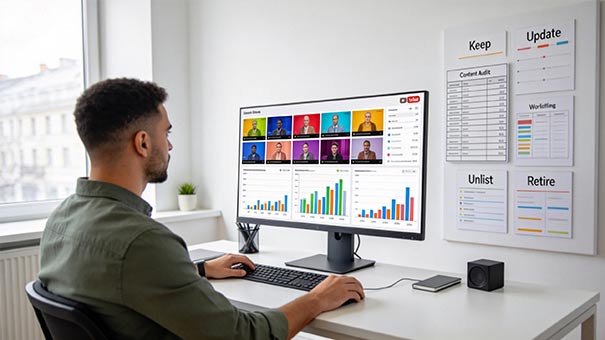
A strong audit usually separates videos into four groups:
- Keep — still accurate, useful, aligned, and reasonably safe.
- Update — useful, but needs better context, packaging, links, chapters, source notes, or correction.
- Unlist — not necessarily harmful, but no longer useful as a public discovery surface.
- Retire — outdated, misleading, rights-risky, low-originality, privacy-sensitive, or seriously off-brand content that should not remain part of the accessible channel library in its current form.
This is not a shortcut to YouTube Partner Program approval. YouTube’s official guidance still matters, including monetization policies, advertiser-friendly content guidelines, copyright rules, Community Guidelines, privacy settings, and current YPP eligibility requirements. Because YouTube tools and thresholds can change, creators should check YouTube Help directly before making major visibility, monetization, or channel-structure decisions. Key official references are listed in the trust and source notes below.
Who This Article Is / Is Not For
This article is for
This article is for creators who already have a body of YouTube content and want to make better decisions about the videos they have already published.
It is especially useful if:
- your channel has changed direction over time;
- some older videos still get views, but no longer represent your current standard;
- you are preparing for monetization review;
- your channel has old Shorts, live streams, tutorials, commentary videos, reaction videos, gaming clips, product videos, or mixed formats;
- your thumbnails, titles, and descriptions were created at different stages of your channel;
- you want to reduce avoidable policy confusion without deleting content impulsively;
- you want a cleaner public channel before approaching sponsors, collaborators, or serious viewers.
It is also useful for pre-monetization creators who want to build a stronger channel library before applying to the YouTube Partner Program.
This article is not for
This article is not for readers looking for a guaranteed way to get approved for monetization, increase revenue, avoid copyright rules, recover from a strike, hide risky content from review, or manipulate YouTube systems.
It is not legal advice, copyright advice, tax advice, sponsorship advice, or professional compliance advice. If a video involves serious copyright, defamation, privacy, contract, disclosure, licensing, or monetization-dispute risk, creators should speak with a qualified professional rather than relying on a general creator checklist.
Why a Channel Library Audit Matters
New uploads get most of a creator’s attention because they feel urgent.
They have deadlines, thumbnails, comments, analytics, and immediate emotional weight. Older uploads feel passive. They sit in the background.
But older videos are not silent.
They can appear in search, suggested videos, playlists, channel sections, external embeds, Shorts feeds, viewer history, and old newsletters. They can shape how a new viewer understands the channel before that viewer ever sees the creator’s newest work.
A channel that once posted random clips and now publishes educational tutorials may still look scattered if the old clips remain prominent. A creator who once used copyrighted music casually may still carry avoidable rights risk even after improving their current process. A channel that now presents itself as careful and instructional may be weakened by older thumbnails that look exaggerated or misleading.
The problem is not that old videos exist.
Many old videos are valuable. Some are the foundation of a channel. Some keep bringing steady search traffic because they answer a real question better than newer content does.
The problem is unmanaged mismatch.
A channel library audit helps identify where the public archive no longer matches the creator’s current promise.
Utility Box: The 4-Part Library Audit
Use this simple structure before changing visibility or deleting anything.
| Audit Area | Question to Ask | Possible Action |
|---|---|---|
| Accuracy | Is the video still factually useful? | Keep, update, correct, or replace |
| Alignment | Does it still match the channel’s current direction? | Keep, reposition, unlist, or move into a clearer playlist |
| Policy and rights | Are there copyright, reused-content, advertiser-suitability, privacy, disclosure, or safety concerns? | Review carefully, edit, unlist, retire, or seek advice |
| Viewer experience | Would a new viewer understand why this video belongs on the channel? | Improve title, thumbnail, description, chapters, playlists, or visibility |
| A practical audit does not begin with emotion. | ||
| It begins with classification. |
The Original 10-Signal Channel Library Review
The following review model is an editorial framework for creators. It is not an official YouTube scoring system and should not be presented as one.
For each older video, review these ten signals:
- Current relevance
Does the topic still matter to your intended audience? - Accuracy
Are facts, steps, prices, dates, screenshots, platform rules, product claims, or examples still correct? - Audience fit
Does the video attract the type of viewer your channel now wants to serve? - Content originality
Is the video clearly your own work, commentary, demonstration, explanation, reporting, performance, analysis, or transformation? - Rights clarity
Can you explain where the footage, music, images, charts, screenshots, voiceovers, clips, and third-party materials came from? - Advertiser suitability
Do the title, thumbnail, description, tags, and content create avoidable ad-suitability concerns? - Viewer satisfaction
Do comments, retention patterns, likes, creator-visible feedback, and returning-viewer behavior suggest that viewers got what they expected? - Channel alignment
Would this video make sense to someone who discovered your channel today? - Packaging honesty
Does the title and thumbnail accurately describe the video without exaggeration, confusion, or unnecessary shock? - Library role
Does the video still serve a useful role as a search answer, authority piece, case study, archive, example, brand story, or viewer entry point?
A video does not need to score perfectly on all ten signals.
But if several signals are weak at the same time, the video deserves closer review.
Step 1: Map the Public Surface of the Channel
Before judging individual videos, look at the channel the way a new viewer sees it.
Open the channel in a logged-out view or private browser window. Do not start in YouTube Studio. Start with the public experience.
Review:
- the Home tab;
- the Videos tab;
- the Shorts tab;
- live stream archives;
- public playlists;
- channel description;
- banner promise;
- pinned channel sections;
- most viewed older uploads;
- older uploads still receiving traffic;
- thumbnails that stand out for the wrong reason;
- comments on older videos that show confusion or disappointment.
Then ask one question:
If a serious viewer arrived today, what would they think this channel is about?
This question is more useful than asking whether you personally still like an old video.
A creator may have an old upload that feels personally important but now confuses the channel. Another creator may have a rough old tutorial that still helps viewers and deserves to stay public with a better description or pinned update.
The public surface tells you what the channel is currently communicating before a viewer watches deeply.
Step 2: Separate Performance Problems from Library Problems
A weak-performing video is not automatically a bad video.
A strong-performing video is not automatically good for the channel.
This is one of the most common mistakes in channel audits.
Some videos perform poorly because the topic is narrow, the title is unclear, the thumbnail is weak, or the channel was smaller when they were published. They may still be accurate, useful, and aligned.
Other videos perform well because they attract curiosity, controversy, confusion, or a broad audience that does not return. A high-view video can still weaken the channel if it brings the wrong audience or creates the wrong expectation.
The better question is not:
Did this video get views?
The better question is:
Did this video bring the right viewer into the right expectation?
YouTube Analytics can help creators review how audiences find and interact with content. The official YouTube Help page on Analytics is a useful starting point: Get started with YouTube Analytics.
Useful checks include:
- Do viewers arrive from search, browse, suggested videos, external links, or Shorts feed?
- Do comments show that viewers understood the topic?
- Are people asking for more of the same kind of content?
- Does the video bring subscribers who watch later uploads?
- Does the video create expectations the channel no longer serves?
- Does the video’s traffic disappear quickly, or does it keep solving a recurring problem?
- Does the video attract viewers who are likely to trust the rest of the channel?
A library audit should not punish every low-view video.
It should identify videos that create confusion, risk, or disappointment.
Step 3: Create Four Working Buckets
Do not begin with “delete or keep.”
That framing is too blunt.
Instead, sort videos into four working buckets: Keep, Update, Unlist, and Retire.
1. Keep
Keep a video public when it still does its job.
A keep-worthy video may be old, imperfect, or visually less polished than your newer work. That is not automatically a problem. Viewers often forgive older production quality when the video is useful, honest, and clearly labeled.
A video usually belongs in the Keep bucket when:
- the topic is still relevant;
- the information is still accurate enough;
- the title and thumbnail are not misleading;
- rights and source materials are reasonably clear;
- the video fits the channel’s current identity;
- viewer comments suggest the video still helps people;
- it does not create obvious policy, privacy, or advertiser-suitability concerns.
Keep does not mean ignore forever.
It means the video does not need urgent action.
2. Update
Update a video when the core content is still valuable but the surrounding context is weak.
Many creators have good older videos hidden behind poor packaging. A tutorial may still work, but the title is vague. A case study may still be useful, but the description lacks context. A policy explanation may need a pinned comment saying that the platform has changed since publication.
Possible updates include:
- rewriting the title for accuracy and clarity;
- replacing a confusing thumbnail;
- adding a pinned comment with updated context;
- improving the description;
- adding chapters;
- linking to a newer related video;
- removing outdated external links;
- correcting claims that changed over time;
- adding source notes;
- placing the video in a better playlist;
- editing out a small section if YouTube’s available tools and the situation allow it.
Do not update only for search keywords.
Update for viewer trust.
3. Unlist
Unlisting is useful when a video no longer belongs on the public channel surface but does not need to be erased.
According to YouTube’s official privacy-setting guidance, public videos can be seen broadly, private videos have selected access, and unlisted videos can be watched and shared by people who have the link. Creators should review the current details directly in YouTube’s video privacy settings documentation.
Unlisting should not be treated as a risk-removal tool. It mainly changes discoverability on the public channel surface. A person with the link may still be able to watch or share an unlisted video, and old embeds, newsletters, courses, client resources, or social posts may continue pointing to it. If the concern is privacy, serious inaccuracy, unclear rights, or a legal issue, unlisting may not be enough.
A video may belong in the Unlist bucket when:
- it is no longer aligned with the channel;
- it is a personal or temporary update that has lost public relevance;
- it distracts from the channel’s current promise;
- it attracts the wrong audience;
- it is useful only as a private reference, portfolio example, or old link;
- it is not harmful enough to delete, but not helpful enough to keep public.
Unlisting should be thoughtful.
If an unlisted video is embedded somewhere important or used in a course, old email, client resource, or documentation page, changing visibility may affect people who still rely on the link.
4. Retire
Retire content when it should no longer remain part of the channel’s accessible archive.
In this guide, “retire” is an editorial status, not an automatic instruction to delete. A retired video may be deleted, made private, removed from playlists, replaced with a corrected version, or documented as no longer available. The safest action depends on the risk, the evidence, external embeds, viewer reliance, legal concerns, and whether a corrected replacement exists.
This bucket requires the most caution because retirement can affect comments, analytics history, public proof of work, backlinks, course materials, client references, and viewer access. Creators should avoid impulsive deletion. For high-risk cases, document the reason for the decision before taking action.
A video may need retirement when:
- it contains serious factual errors that could mislead viewers;
- it uses third-party material without clear rights or sufficient transformation;
- it creates privacy concerns;
- it includes outdated medical, legal, financial, safety, or technical guidance;
- it relies on misleading claims;
- it damages the channel’s current trust standard;
- it creates avoidable monetization or policy risk;
- it no longer has a defensible reason to remain available in its current form.
A retired video does not always need to disappear.
Sometimes the best action is to replace it with a corrected version and clearly direct viewers to the newer resource.
What NOT To Do / Common Mistakes
Mistake 1: Deleting old videos only because they look embarrassing
Early videos often look rough. That does not automatically make them harmful.
A creator’s older work can show growth. It can also keep serving search traffic. If the information is still useful and the video does not create risk, a lighter update may be better than removal.
Mistake 2: Keeping everything public because “history matters”
History matters, but public clarity matters too.
A channel is not a museum unless the creator intentionally makes it one. If old uploads now mislead viewers about what the channel offers, keeping everything public may hurt more than it helps.
Mistake 3: Judging only by views
Views show attention. They do not automatically show trust, fit, satisfaction, or monetization readiness.
A video can attract views and still be bad for the channel if it brings the wrong audience, relies on weak rights, exaggerates the promise, or pushes viewers toward outdated information.
Mistake 4: Rewriting old titles into clickbait
Updating old metadata is useful. Turning old videos into exaggerated promises is not.
YouTube’s advertiser-friendly guidance applies to the content and its packaging, including titles, thumbnails, descriptions, and tags. Creators should review the official advertiser-friendly content guidelines before assuming that a packaging change is harmless.
Mistake 5: Ignoring reused-content risk
Creators who built early channels with compilations, clips, reaction formats, reposted content, gameplay, stock footage, music, or third-party visuals should be especially careful.
YouTube’s channel monetization policies emphasize originality and authentic value. The official YouTube channel monetization policies should be reviewed when evaluating older videos that rely heavily on material the creator did not fully create.
Mistake 6: Treating unlisted as invisible
Unlisted videos are not the same as private videos.
People with the link may still access and share them. If a video contains genuinely sensitive, risky, or inaccurate material, unlisting may not solve the underlying issue.
The Library Role Test
One useful way to avoid emotional decisions is to assign each public video a library role.
A video should usually have at least one clear role:
- Search answer: solves a specific question people still search for.
- Authority piece: shows expertise, testing, research, or careful explanation.
- Relationship piece: helps viewers understand the creator’s values, style, process, or point of view.
- Conversion piece: leads viewers toward a newsletter, product, service, course, or community without misleading them.
- Series piece: belongs to a larger sequence.
- Proof piece: demonstrates experience, case work, testing, original observation, or hands-on practice.
- Archive piece: remains public because its age is part of its value.
- Entertainment piece: still fits the channel’s current audience promise.
If a video has no clear role, ask why it remains public.
This does not mean every upload must be commercial or strategic. Creative channels need room for personality and experimentation. But even an experimental video should have a reason to remain visible if it sits in the public library of a channel that now has a clear direction.
A Simple Priority Score: Risk + Visibility + Mismatch
When a channel has many old uploads, the hardest part is deciding what to review first.
A useful shortcut is:
Priority = Risk + Visibility + Mismatch
- Risk means the video may have rights, policy, accuracy, privacy, disclosure, safety, or advertiser-suitability concerns.
- Visibility means the video still gets traffic, appears on the channel homepage, sits in a major playlist, ranks in search, or is embedded outside YouTube.
- Mismatch means the video no longer fits the channel’s current promise, audience, tone, quality standard, or monetization direction.
A low-risk, low-visibility, low-mismatch video can usually wait.
A high-risk, high-visibility, high-mismatch video should be reviewed first.
For a simple version, give each factor a score from 0 to 2:Factor 0 1 2 Risk No obvious concern Some uncertainty Clear concern Visibility Rarely seen Some ongoing traffic Prominent or still active Mismatch Still aligned Slightly off Strongly off-brand A video with a total score of 0–2 can usually wait. A score of 3–4 deserves review. A score of 5–6 should be handled early. This is not a YouTube metric. It is a creator-side editorial tool. The goal is not to fix every old upload at once. The goal is to handle the videos most likely to confuse viewers, weaken trust, or create avoidable policy problems.
A Practical Audit Workflow for Creators
A full audit can feel overwhelming, especially for channels with hundreds of uploads.
The solution is to work in passes.
Pass 1: Review the top public signals
Start with the most visible parts of the channel:
- channel homepage;
- top playlists;
- most viewed videos;
- recent videos;
- older videos still receiving traffic;
- videos with unusual comment patterns;
- videos linked from your website, newsletter, products, or social profiles.
You do not need to inspect every upload on day one.
Pass 2: Flag obvious mismatch
Create a simple spreadsheet or note with five columns:
| Video | Issue | Bucket | Action Needed | Priority |
|---|---|---|---|---|
| Old tutorial | outdated interface | Update | add pinned comment and newer link | Medium |
| Personal update | no longer channel-aligned | Unlist | remove from public playlist | Low |
| Clip compilation | unclear rights | Retire / review | check source and policy risk | High |
| Use plain labels. | ||||
| Do not over-engineer the system. |
Pass 3: Handle high-risk videos first
High-risk videos include:
- copyright-unclear uploads;
- reused clips with limited original contribution;
- outdated advice in sensitive areas;
- misleading thumbnails;
- sponsor or affiliate content with unclear disclosure;
- videos attracting complaints about accuracy;
- videos that no longer match monetization or advertiser-suitability expectations.
These videos deserve attention before cosmetic thumbnail changes.
Pass 4: Improve the best older videos
After risk is handled, update older videos that still perform well or still serve the right audience.
Good candidates include:
- tutorials that still solve a problem;
- evergreen explainers;
- comparison videos with still-relevant logic;
- case studies that need clearer context;
- old videos that attract useful comments;
- videos that introduce viewers to a larger content path.
Sometimes the best growth work is not publishing a new video.
It is making an existing strong video easier to trust.
Pass 5: Build a recurring review habit
A library audit should not happen only during panic.
A practical rhythm:
- monthly: review top older videos receiving traffic;
- quarterly: review playlists and channel homepage sections;
- twice a year: review policy-sensitive, rights-sensitive, or outdated videos;
- before monetization application: review the entire public channel surface;
- before sponsorship outreach: review the videos a sponsor is likely to inspect.
Small recurring reviews are safer than one emergency cleanup.
How to Decide Between Updating and Replacing a Video
Sometimes an old video is useful but too outdated to repair cleanly.
Use this test:
Can a viewer still get the main value without being misled?
If yes, update the surrounding context.
If no, consider creating a new version and linking the old one to the replacement, or reducing the old version’s visibility after the new version is published.
Update is usually better when:
- only the title, thumbnail, description, or pinned comment is weak;
- the core explanation remains accurate;
- a small correction is enough;
- the old comments add useful context;
- the video still ranks or gets steady search traffic for the right reason.
Replacement is usually better when: - the interface, rules, prices, product, law, or platform process has changed substantially;
- the old video creates wrong expectations;
- the structure is too confusing to repair;
- the creator’s current standard is much higher;
- the old version attracts repeated correction comments;
- the topic deserves a stronger, current, more complete explanation.
When replacing, avoid pretending the old version never existed. A simple pinned comment can say that a newer guide is available and link to it. That is often more trustworthy than silently leaving viewers to figure it out.
Monetization Readiness and the Channel Library
A channel library audit is especially important for creators preparing for monetization.
Meeting the subscriber-count threshold plus either valid public watch hours or valid public Shorts views is only one part of the path. A channel’s content, originality, rights status, advertiser suitability, and policy compliance also matter. YouTube explains monetization expectations through official documentation, including its YouTube Partner Program overview and eligibility guidance, channel monetization policies, and advertiser-friendly content guidelines.
Visibility decisions can also have practical consequences. Unlisted, private, or deleted videos may no longer support valid public watch hours or valid public Shorts views in the same way public videos do. Large visibility changes close to an application may also change what reviewers, advertisers, sponsors, and serious viewers can see when they evaluate the channel’s public surface. Before making large visibility changes, creators should check current YouTube Help guidance directly.
A library audit cannot guarantee approval.
But it can help creators avoid applying with a public channel surface that sends the wrong message.
Before applying, review:
- videos that rely heavily on reused material;
- titles that exaggerate or misrepresent content;
- thumbnails that imply something the video does not deliver;
- playlists that group unrelated content together;
- old Shorts that bring traffic unrelated to the main channel;
- livestream archives with long unstructured sections;
- descriptions with broken links, outdated claims, or missing disclosures;
- videos with unclear music, footage, images, or licensing;
- videos whose visibility changes could affect valid public watch hours or valid public Shorts views;
- old public videos that no longer represent the channel a reviewer, advertiser, sponsor, or serious viewer would see today;
- content that may be advertiser-sensitive without enough context.
A reviewer, advertiser, sponsor, or serious viewer may not interpret your channel based only on your best upload.
They may see the pattern.
The pattern is what a library audit is meant to improve.
What This Article Does Not Claim
This article does not claim that unlisting videos improves rankings.
It does not claim that deleting old videos improves monetization approval.
It does not claim that every old video is a problem.
It does not claim that a clean library can replace originality, policy compliance, audience value, or consistent publishing.
It does not claim to represent YouTube’s internal review process.
It does not provide legal advice about copyright, licensing, privacy, sponsorship disclosure, contracts, defamation, or monetization disputes.
The claim is narrower and more practical:
Creators make better long-term decisions when they review their channel library as a public body of work, not only as a collection of past uploads.
Why You Can Trust This Article
This article was written as an editorial, creator-workflow guide for GeevenTech readers who want clearer YouTube channel decisions without relying on myths, shortcuts, or guaranteed outcomes.
The framework is based on practical channel-library review patterns: content alignment, accuracy, rights clarity, viewer expectation, public channel surface, visibility decisions, and monetization-readiness risk. It is not presented as an official YouTube scoring system.
Where platform rules matter, this guide points readers back to official YouTube Help pages rather than inventing private approval formulas.
Primary references include:
- YouTube channel monetization policies
- Advertiser-friendly content guidelines
- Get started with YouTube Analytics
- Change video privacy settings
- YouTube Partner Program overview and eligibility
- YouTube's Community Guidelines
- Copyright on YouTube
Because YouTube tools, thresholds, and policies can change, creators should verify current official guidance before making major monetization, copyright, privacy, or visibility decisions.
How This Article Was Reviewed
This article was updated and reviewed in June 2026 for:
- alignment with official YouTube Help topics available at the time of review;
- clearer wording around subscriber count, valid public watch hours, and valid public Shorts views;
- careful language around public, unlisted, private, deleted, and otherwise changed visibility states;
- clear separation between creator-side workflow advice and official platform rules;
- legal-safety language around copyright, privacy, sponsorship disclosure, monetization, and professional advice;
- avoidance of guaranteed income, ranking, approval, RPM, or algorithm claims;
- usefulness for both monetized and pre-monetization creators;
- evergreen value beyond a single YouTube interface update.
Review scope: YouTube channel library management, visibility decisions, creator workflow, monetization readiness, advertiser suitability, and public channel trust.
Update policy: this article should be reviewed when YouTube materially changes privacy settings, monetization policies, advertiser-friendly guidance, Analytics reporting, Shorts eligibility, or YPP review expectations.
FAQ
Should I delete old YouTube videos before applying for monetization?
Not automatically. Deleting old videos only because they are old is too simple. Review whether the videos are accurate, original, rights-clear, advertiser-suitable, and aligned with your current channel. Some old videos should stay public. Some need updates. Some may be better unlisted, made private, replaced, or retired.
Is unlisting a video better than deleting it?
It depends on the reason. Unlisting may help when a video no longer belongs on the public channel surface but does not need to disappear completely. However, unlisted videos can still be accessed by people with the link. If a video contains serious risk, inaccuracy, privacy concerns, or unclear rights, unlisting may not solve the problem.
Can old videos hurt a channel?
Yes, if they create confusion, mislead viewers, contain outdated or risky claims, rely on unclear rights, or no longer match the channel’s current purpose. But many old videos help a channel by bringing search traffic, showing experience, and answering recurring questions.
Should I update old thumbnails and titles?
Yes, when the update improves accuracy, clarity, and viewer expectation. Do not turn old videos into clickbait. Titles and thumbnails should help viewers understand the real content, not create a promise the video cannot keep.
What should I do with old tutorials that are partly outdated?
If the main lesson still helps viewers, add updated context through the description, pinned comment, chapters, or a newer linked video. If the outdated parts would cause viewers to make wrong decisions, consider replacing the tutorial with a current version and reducing the old version’s visibility.
Do Shorts need to be included in a library audit?
Yes. Shorts can shape audience expectation, channel identity, traffic mix, and monetization readiness. A channel with long-form educational content and unrelated Shorts may confuse viewers if the formats point to different audiences. This does not mean Shorts are bad. It means they should be reviewed as part of the channel’s public surface.
Should livestream replays stay public?
Only if they still serve a clear viewer purpose. Some livestreams are valuable archives. Others are too long, off-topic, or context-dependent. Consider trimming where appropriate, adding chapters, creating highlight videos, unlisting weak archives, or organizing replays into clear playlists.
How often should creators audit their channel library?
For many active creators, light monthly reviews and deeper quarterly reviews are enough. Channels preparing for monetization, sponsorships, rebrands, or major topic changes should audit more carefully before making public claims about the channel’s direction.
Final Takeaway
A YouTube channel library audit is not about erasing the past.
It is about deciding what the past is allowed to keep saying.
Every public video gives viewers a clue about the channel. Some clues are useful. Some are outdated. Some are confusing. Some are risky. Some are still stronger than the creator realizes.
The healthiest channel libraries are not always the newest or the most aggressively cleaned. They are the most understandable.
They show what the creator does, who the channel serves, why the content can be trusted, and how older work connects to the channel’s current direction.
For a growing creator, that kind of clarity is not cosmetic. It is part of the channel’s long-term structure.